

Stop Hacking localStorage: A Simple Guide to Cross-Domain State Sharing

If you've ever tried to share a user's session, a shopping cart, or even a simple theme preference between app.yourdomain.com and marketing.yourdomain.com, you've likely run into a wall. The browser's localStorage API, for all its simplicity, is strictly confined to a single origin.
The traditional workarounds are often complex and clunky—think cumbersome iframe messaging, backend database setups, or complicated token exchanges.
What if you could have the simplicity of localStorage but have it work instantly and securely across any domain or device? That's where Vaultrice comes in. In this tutorial, we'll show you how to share a user's theme preference (dark/light mode) across two different domains in just a few minutes.
The Goal: A Unified User Experience
Our goal is simple: when a user chooses "dark mode" on brand-a.com, their preference is instantly applied when they visit brand-b.com, without any extra steps.
Step 1: Get Your Vaultrice Credentials
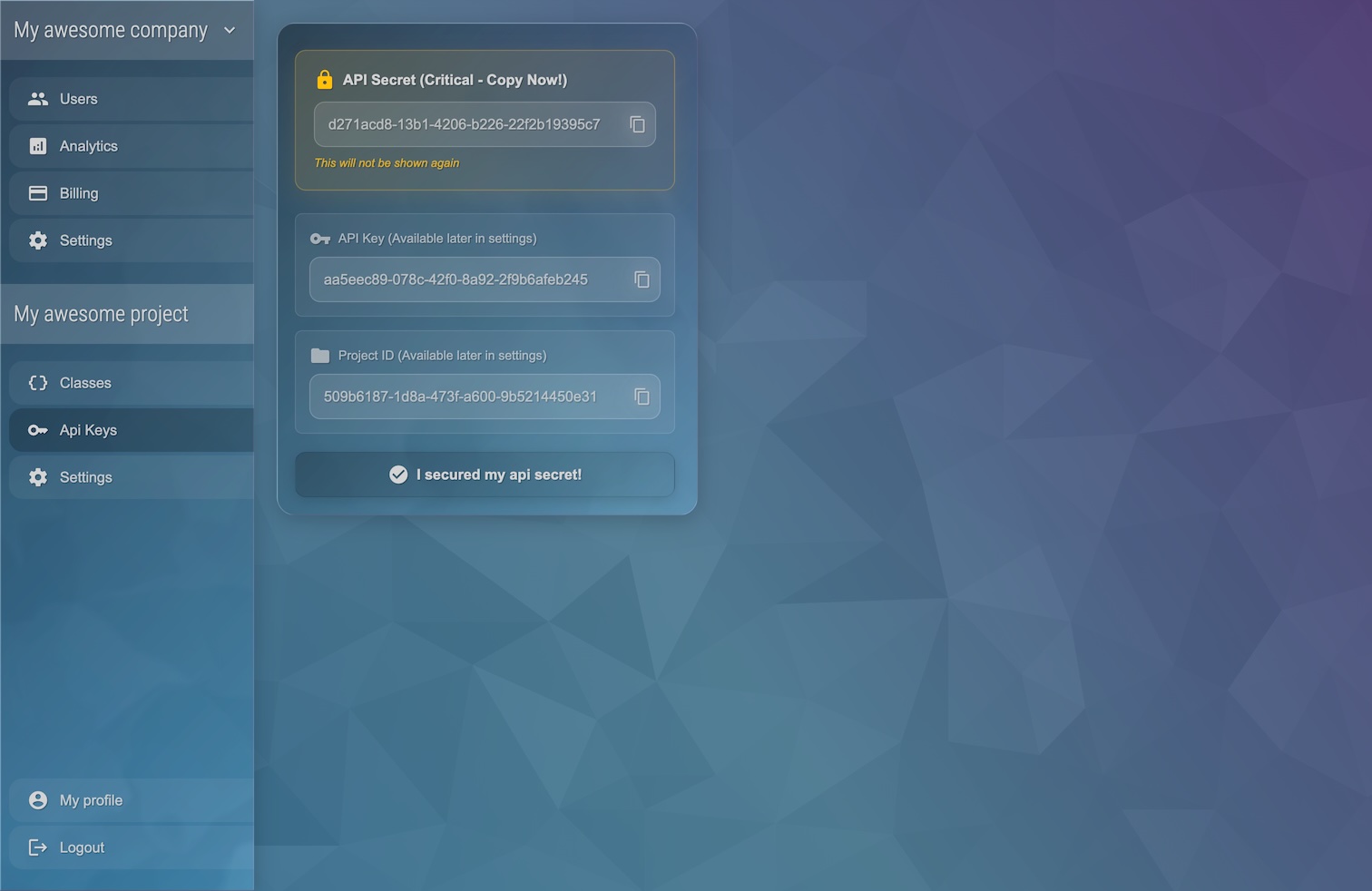
First, you'll need a Vaultrice account. If you don't have one, you can sign up for a free account. Once you've set up a project, grab your apiKey, apiSecret, and projectId.
Step 2: Initialize the SDK on Both Sites
The key to sharing state is to initialize the NonLocalStorage client with the same object ID on both of your websites. For a user-specific setting, a stable user ID from your authentication system is a perfect choice.
Install the SDK first:
npm install @vaultrice/sdk
Now, on both brand-a.com and brand-b.com, add the following initialization code:
import { NonLocalStorage } from '@vaultrice/sdk';

const credentials = {
  projectId: 'your-project-id',
  apiKey: 'your-api-key',
  apiSecret: 'your-api-secret'
  // instead of apiKey + apiSecret you can also use
  // the accessToken approach: https://www.vaultrice.com/docs/security#authentication-methods
};

// Use the same unique ID for the user on both domains
const userId = 'user-ada-lovelace-1729';

const userSettings = new NonLocalStorage(credentials, userId);
Step 3: Set the Preference on Site A
On brand-a.com, let's create a simple toggle that saves the user's theme choice to Vaultrice using setItem.
// On brand-a.com
const themeToggle = document.getElementById('theme-toggle');

themeToggle.addEventListener('change', async (event) => {
  const newTheme = event.target.checked ? 'dark' : 'light';
  await userSettings.setItem('theme', newTheme);
  console.log(`Theme set to ${newTheme}`);
  // (Your UI logic to apply the theme on this site)
  document.body.className = newTheme;
});
When this code runs, the value 'dark' or 'light' is sent to the Vaultrice edge cloud and associated with the object ID 'user-ada-lovelace-1729'.
Step 4: React to the Change on Site B
Now for the magic. On brand-b.com, we can retrieve the initial value and, more importantly, listen for real-time changes using on('setItem', ...).
// On brand-b.com
async function initializeTheme() {
  // Get the current theme when the page loads
  const themeItem = await userSettings.getItem('theme');
  const theme = themeItem?.value || 'light';
  applyTheme(theme);

  // Listen for real-time updates from other domains
  userSettings.on('setItem', 'theme', (item) => {
    console.log(`Theme was updated (from another domain) to: ${item.value}`);
    applyTheme(item.value);
  });
}

function applyTheme(theme) {
  document.body.className = theme;
}

initializeTheme();
That's it! Now, when a user changes the toggle on brand-a.com, the setItem event fires on brand-b.com almost instantly, and the applyTheme function is called. No backend code, no complex CORS configuration.
And this is just the very basic functionality... there is a lot more with Vaultrice.
Conclusion
You've just solved a common web development headache in a few lines of code. By providing a cloud-based, localStorage-like API, Vaultrice makes cross-domain and cross-device state management simple, secure, and incredibly fast.
The possibilities are endless: synchronized shopping experiences, seamless authentication flows, persistent form data, and unified user preferences across your entire application ecosystem.
Ready to give it a try? Sign up for a free account and start building today.


